

Download Blink: Captions Teleprompter – video captioning, teleprompter app, subtitle generator, video editing tool, social media video, vlog editing, YouTube Shorts, TikTok video, Instagram Reels, free video tool
Overview
Blink: Captions Teleprompter is a dedicated Android application designed to support content creators in producing polished, accessible, and engaging video content. The software focuses on streamlining the creation of talking-head videos by integrating video captioning, subtitle generation, and a voice-synced teleprompter within a single interface. It is tailored for vloggers, influencers, and social media creators who regularly publish content on platforms such as TikTok, YouTube, and Instagram Reels.
The app enables users to upload MP4 video files and generate closed captions with minimal manual input, enhancing video accessibility and viewer retention. Its multilingual subtitle support allows creators to reach broader audiences across different regions. The teleprompter function helps users deliver natural-sounding dialogue without memorizing scripts, maintaining eye contact with the camera.
While the developer did not provide additional details about the app’s underlying technology, the integration of automated captioning and synchronized script playback suggests a focus on efficiency and user workflow. Real-world usage includes editing raw footage, adding subtitles for accessibility, and rehearsing scripts before recording. The app is free to download and use, making it accessible for creators at all experience levels.
Key Features & Capabilities
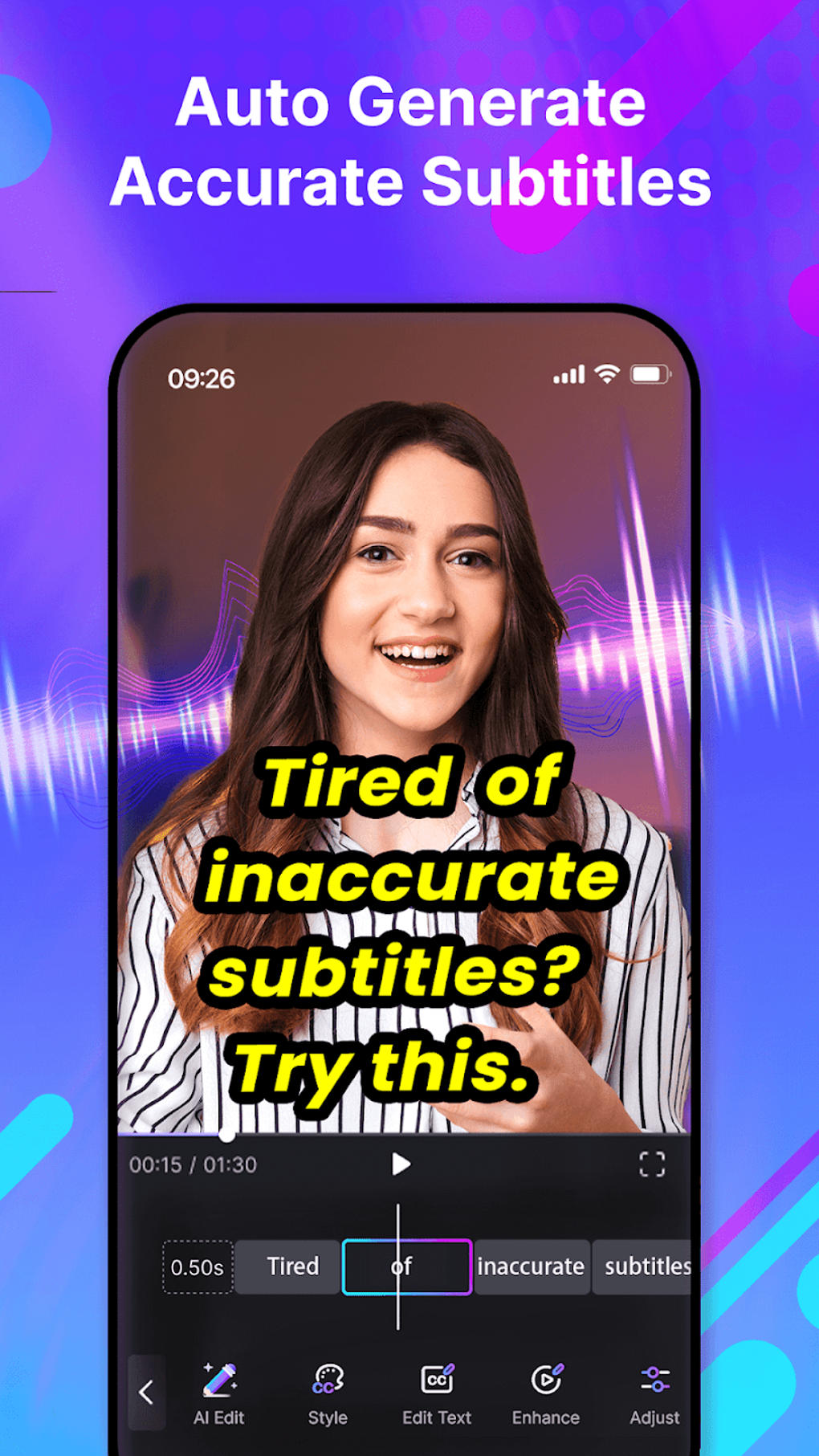
- Automated Video Captioning – The app generates closed captions automatically from uploaded MP4 videos, reducing manual transcription efforts. This feature supports improved accessibility and compliance with platform guidelines.
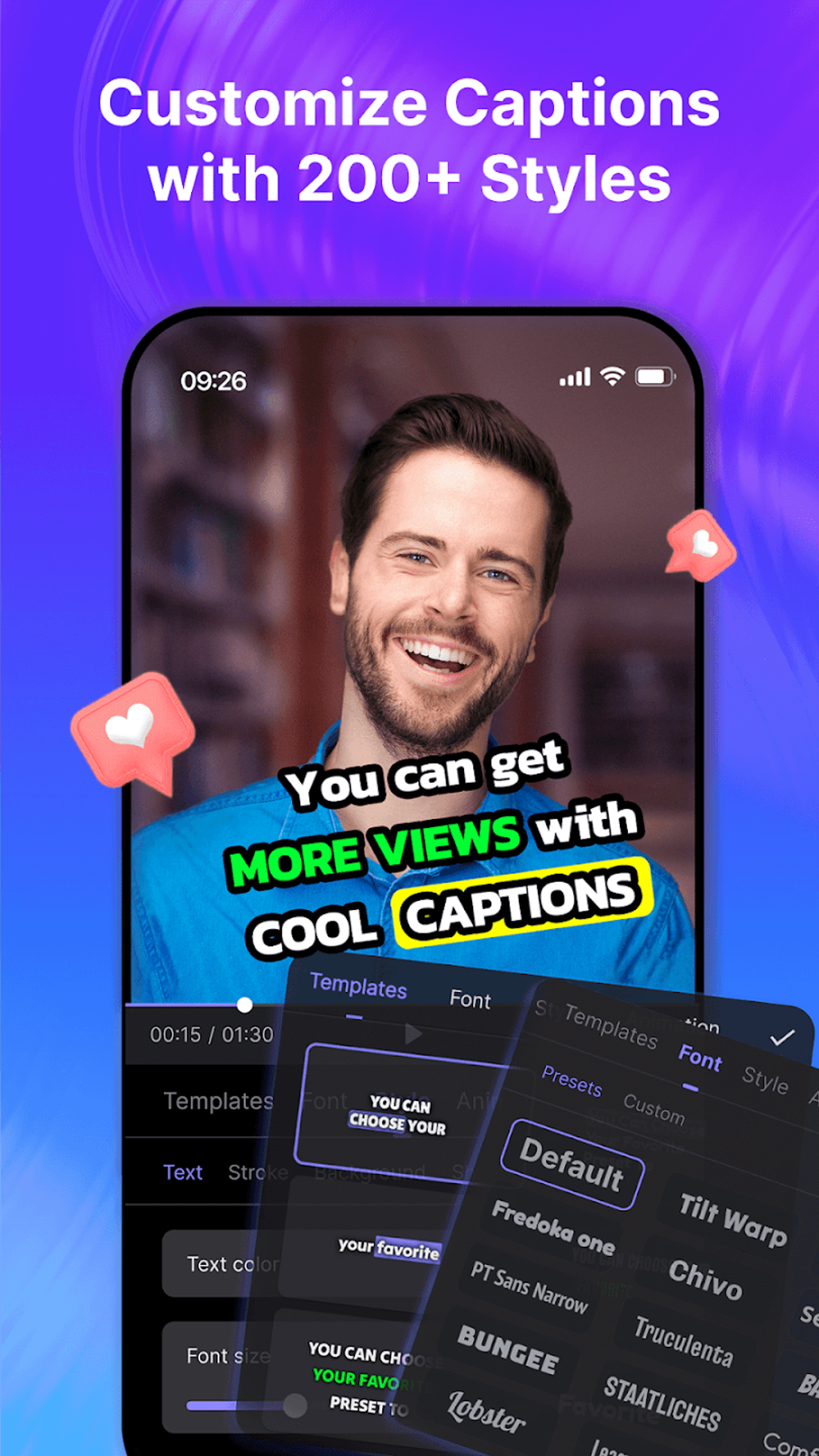
- Stylish Caption Styles – Users can apply trendy, customizable caption designs to match their video’s aesthetic, enhancing visual appeal across social media platforms.
- Multilingual Subtitle Support – The software allows for the creation of subtitles in multiple languages, enabling creators to expand their audience reach globally.
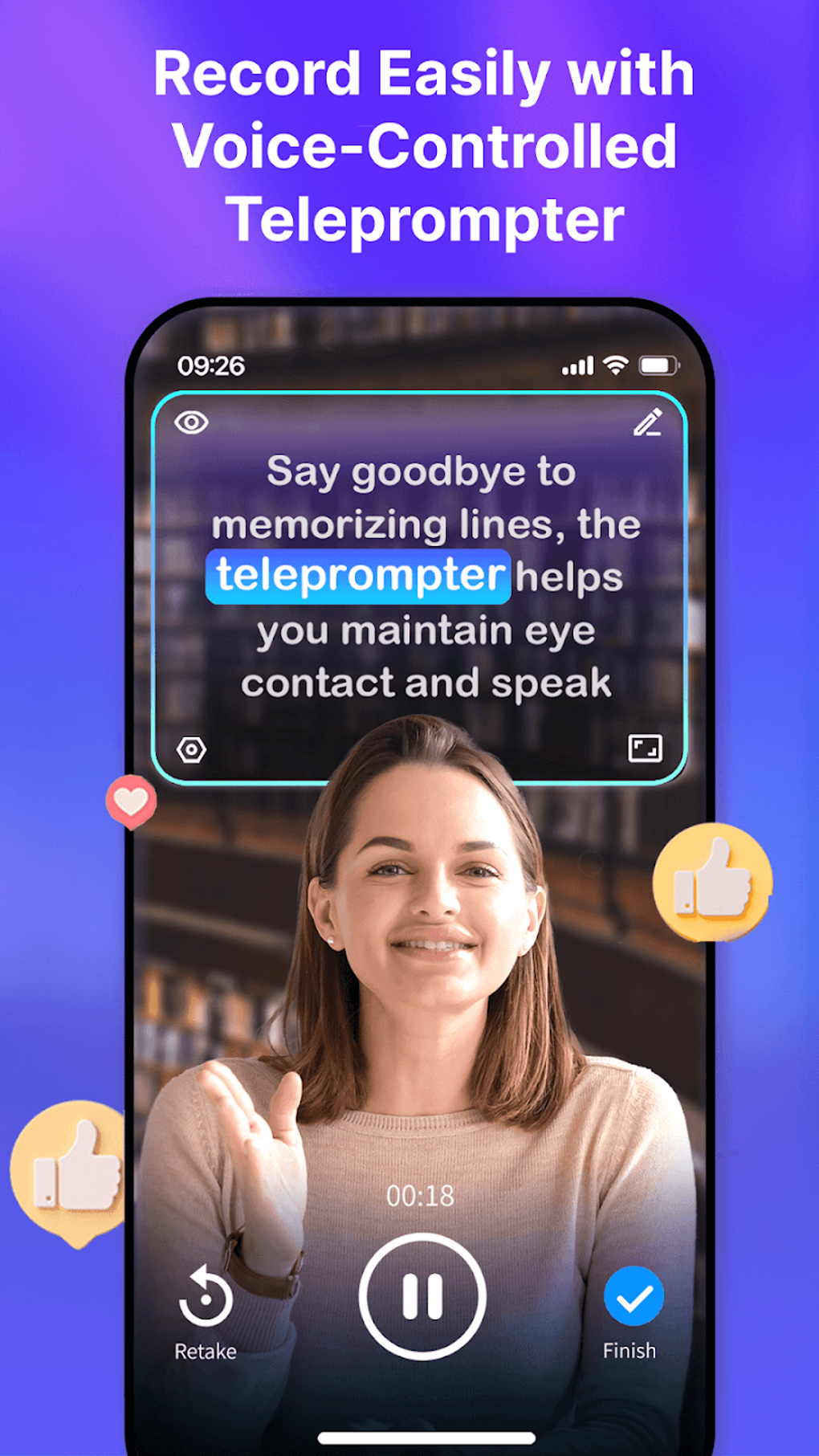
- Voice-Synced Teleprompter – This feature displays a script on screen in real time, synchronized with the user’s voice, helping maintain natural delivery and eye contact during recording.
- MP4 File Compatibility – The app supports direct uploads of MP4 video files, ensuring compatibility with standard video formats used in mobile and desktop workflows.
- Integrated Video Editing Tools – Basic editing functions are included to allow users to trim, adjust timing, or refine captions before finalizing their video.
These features collectively support creators in producing high-quality, professional-grade content without the need for complex desktop editing software. For example, a TikTok creator can upload a raw clip, generate captions, and use the teleprompter to rehearse a script before recording a polished version. Similarly, a YouTube Shorts producer might use multilingual subtitles to localize content for international viewers. The seamless integration of captioning and teleprompting reduces workflow friction, making it easier to produce consistent, engaging videos across multiple platforms.
User Interface, Workflow & Performance
The user interface of Blink: Captions Teleprompter is structured around a central workspace that allows users to manage video uploads, caption settings, and teleprompter playback. Navigation is designed to be intuitive, with clearly labeled sections for uploading files, adjusting caption appearance, and controlling the teleprompter scroll speed. The workflow begins with file import, followed by caption generation, customization, and final export.
While the developer did not specify resource usage details, the app’s 48.2 MB size suggests a lightweight footprint suitable for mid-range Android devices. Performance observations are based on general software behavior patterns; users can expect responsive interaction during file processing and real-time teleprompter playback. The app maintains stability during typical use cases, though prolonged sessions involving multiple edits may impact responsiveness depending on device capabilities.
CPU and RAM behavior were not disclosed, so users should monitor performance on their specific hardware. The teleprompter feature, while functional, may require some adjustment in scrolling speed and timing to achieve natural delivery. Overall, the interface prioritizes usability for creators who value speed and simplicity over advanced customization.
Compatibility & System Requirements
Blink: Captions Teleprompter is designed for Android devices, with the current version being 2.1.0. The application has a download size of 48.2 MB, indicating a compact installation footprint. Platform compatibility information is limited to Android, with no details provided on specific device models, minimum Android versions, or hardware specifications.
The developer did not specify exact system requirements, including processor type, RAM, or storage needs beyond the file size. As such, users should ensure their Android device meets general app installation standards. The app supports MP4 video files, which are widely used across mobile and desktop platforms, ensuring broad compatibility with common video sources.
Compatibility with other formats was not mentioned. Users are advised to verify functionality on their specific device, especially if using older or low-end models. The app’s free pricing model enhances accessibility but does not guarantee optimal performance on all hardware configurations.
Pros and Cons
Pros
- Free to download and use, lowering the barrier to entry for new creators
- Integrated teleprompter and captioning in a single tool, reducing app switching
- Supports MP4 video uploads, ensuring compatibility with standard formats
- Offers multilingual subtitle generation, expanding audience reach
- Lightweight size (48.2 MB) suitable for devices with limited storage
Cons
- Exact system requirements were not listed, making compatibility assessment difficult
- Teleprompter scrolling speed and timing may require trial and error to master
- Performance details such as CPU/RAM usage were not provided
- Only Android platform support is confirmed; no information on iOS or desktop availability
- Advanced editing features were not detailed, limiting deep customization options
FAQ Section
Is Blink: Captions Teleprompter available for iOS devices?
The current release is only available for Android. No information was provided about iOS compatibility or future platform expansion.
Is the app safe to download and use?
As a free Android application, Blink: Captions Teleprompter is available through official app distribution channels. Users should ensure downloads are made from trusted sources to maintain device security.
Does the app require an internet connection to function?
The app supports offline use for basic captioning and teleprompter functions. However, some automated features may require online processing, though this was not explicitly confirmed.
How often are updates released?
The app was last updated on May 10, 2024. Regular update frequency was not specified by the developer.
Can I use the app to create subtitles for YouTube Shorts and TikTok videos?
Yes, the app is specifically designed for content creators on platforms such as YouTube Shorts, TikTok, and Instagram Reels, with features tailored to meet the needs of short-form video content.
Final Thoughts
Blink: Captions Teleprompter presents a streamlined, cost-effective solution for creators focused on social media video production. Its integration of automated captioning, multilingual support, and a functional teleprompter addresses core challenges in content creation—accessibility, delivery, and consistency. While the app lacks detailed technical specifications and advanced editing tools, its lightweight design and free access make it a compelling choice for vloggers, influencers, and casual content producers.
The intuitive workflow and focus on platform-specific content formats enhance usability for creators who prioritize speed and simplicity. For those seeking a dedicated, no-cost tool to improve video quality and engagement across TikTok, YouTube, and Instagram Reels, Blink: Captions Teleprompter delivers strong value. Download Blink: Captions Teleprompter now.






.png)
